
Request progress
Ticket Status, Ownership, and Timing
Production tickets use Open, Resolved, Closed, Archived, and Deleted statuses. Replies, assignment, scheduling, and dependencies provide the rest of the workflow context.
Production address
https://helpdesk.dsesecurity.com/
Confirm HTTPS and the exact domain before entering account or ticket information.
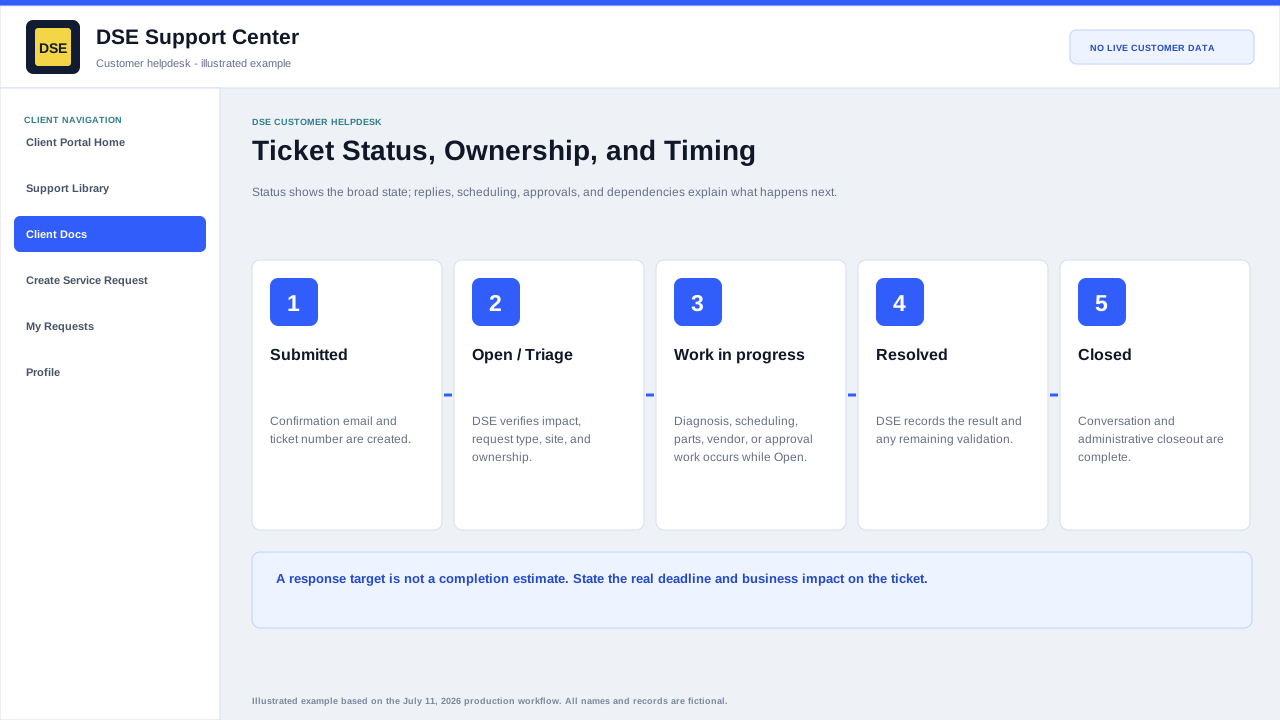
Customer-relevant statuses
- Open means the request is active and may be in triage, assigned work, scheduling, vendor work, parts, approval, or waiting for information.
- Resolved means DSE has recorded a resolution or completed the requested work, subject to any remaining confirmation or closeout.
- Closed means the support conversation and administrative closeout are complete.
- Archived and Deleted are administrative retention states and normally do not represent active work.
Response and completion timing
- DSE confirms the applicable department, priority, schedule, SLA plan, agreement, and business impact during triage.
- A response target is not the same as a completion estimate.
- Parts, site access, customer approvals, vendors, project scope, and scheduling can change completion timing.
- State any deadline and business impact on the ticket and ask DSE to confirm the plan.
- Do not rely on a generic help article as a contractual service commitment.
Content owner: DSE Service Operations. Production reviewed July 11, 2026.