
Email support
Open a Ticket by Email
Clients can also open a support ticket through the verified production mailbox helpdesk@detection-systems.com.
Production address
https://helpdesk.dsesecurity.com/
Confirm HTTPS and the exact domain before entering account or ticket information.
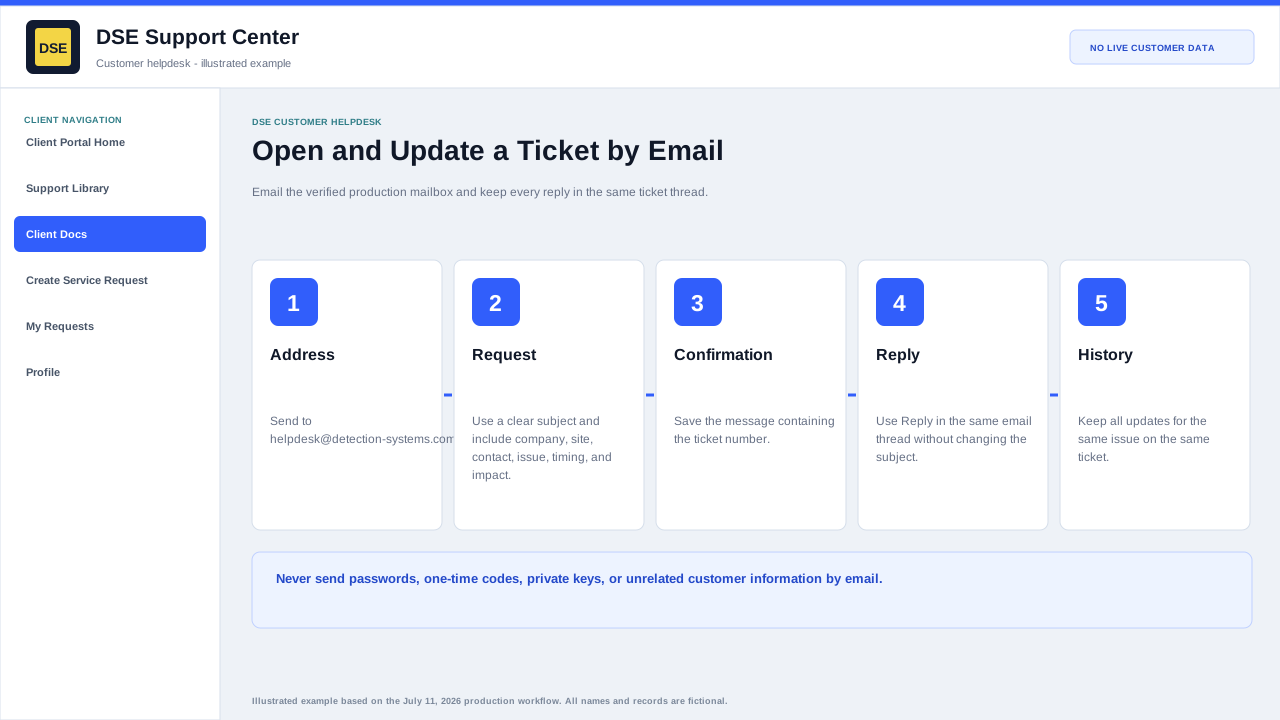
Clients can open tickets by email
Email this verified production address to create a support ticket:
Send and maintain one email conversation
- Address the first message to helpdesk@detection-systems.com and use a subject that states the site or system and symptom.
- Send one complete request and keep the confirmation containing the ticket number.
- Use Reply in the same email thread without changing the subject so the update stays on the existing ticket.
- Start a separate email only when the new request is unrelated to the original ticket.
- Never email passwords, one-time codes, private keys, API secrets, or unrelated customer information.
Verified production support email
What to include in the email
- A clear subject line that summarizes the issue.
- Your name, company, site, and best callback number.
- The affected system, device, user, camera, door, panel, workstation, or service.
- When the issue started and whether it is still happening.
- Screenshots, photos, error messages, or timestamps when available.
What happens next
- The helpdesk creates a support ticket from your email.
- DSE Support reviews and routes the request.
- Replies from DSE will come through the ticket system.
- Keep the ticket number from the confirmation email for future updates.
- Reply in the same email thread so updates stay on the existing ticket.
Content owner: DSE Service Operations. Production reviewed July 11, 2026.