
Scheduling
Prepare for Remote Support, Callbacks, and Onsite Work
A confirmed contact, site, access window, scope, safety context, and available device help DSE use the scheduled time effectively.
Production address
https://helpdesk.dsesecurity.com/
Confirm HTTPS and the exact domain before entering account or ticket information.
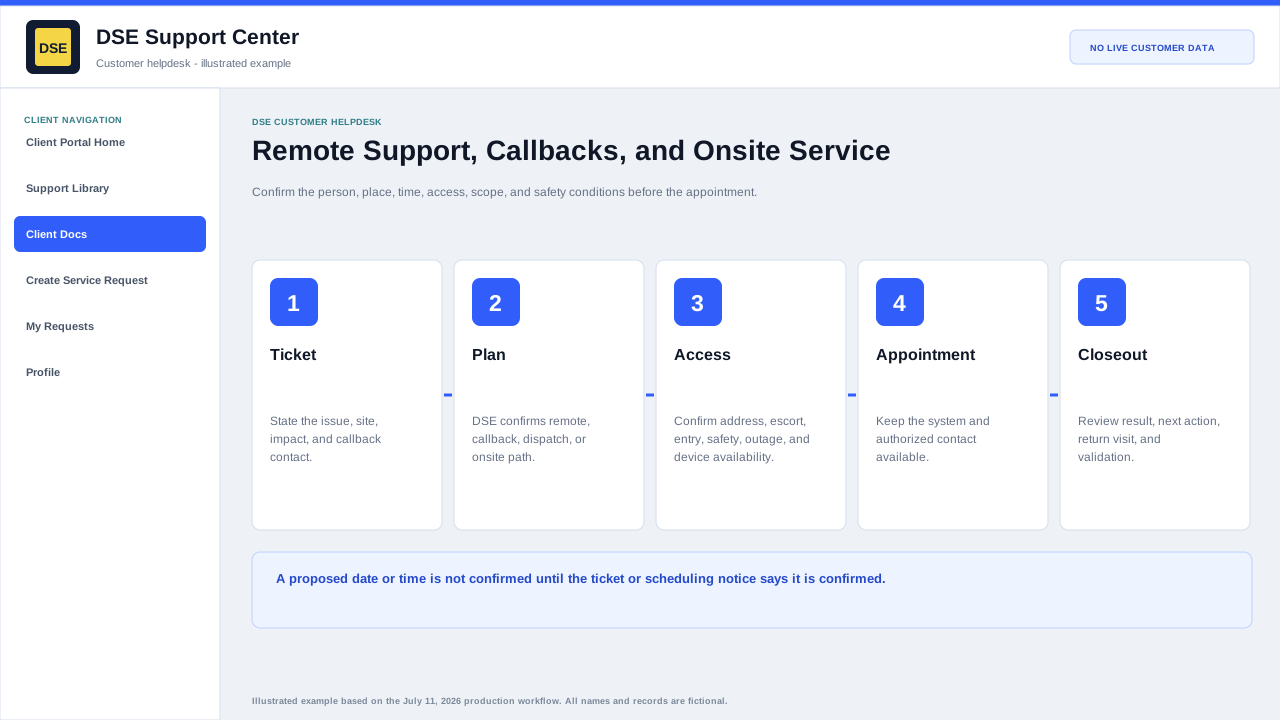
Before the appointment
- Confirm the ticket number, date, time, timezone, arrival or callback window, and best contact.
- Confirm site address, entrance, parking, escort, access restrictions, safety requirements, and any approved outage window.
- Make the affected device, system, user, examples, and authorized decision-maker available.
- Tell DSE about deadline, production impact, occupancy, active construction, or another vendor who must participate.
- Do not send remote-access credentials in the ticket; use the approved secure process during the session.
When the plan changes
- Reply on the same ticket as soon as the contact, access, time, scope, or site condition changes.
- State whether work can continue remotely or must be rescheduled.
- Confirm any new time with DSE; a proposed time is not confirmed until the ticket or scheduling notice says so.
- After work, review the result, remaining action, return visit, and customer validation recorded on the ticket.
Content owner: DSE Service Operations. Production reviewed July 11, 2026.