
Account setup
Create and Verify a Client Account
Public registration is available, but the email address must be verified before the account can be used to create and manage portal tickets.
Production address
https://helpdesk.dsesecurity.com/
Confirm HTTPS and the exact domain before entering account or ticket information.
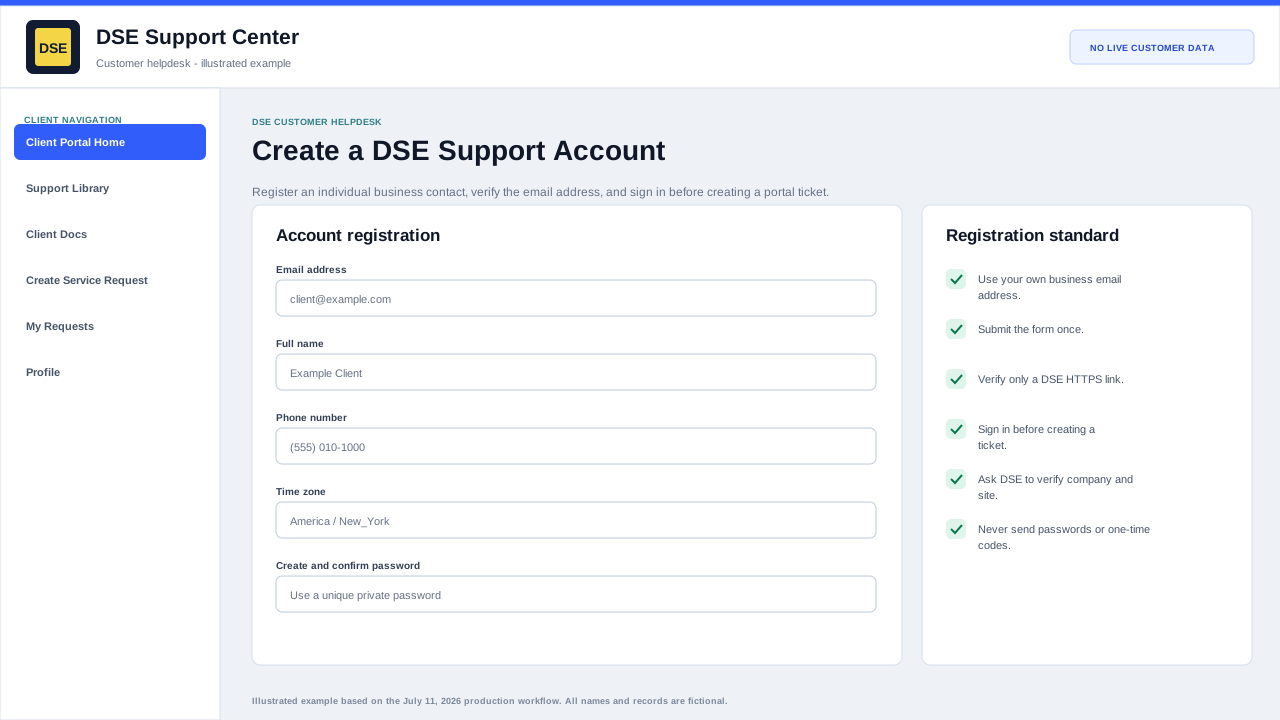
Complete the production registration form
- Enter your own business email address, real full name, phone number, and correct timezone.
- Create and confirm a unique password. Never send that password or a one-time code to DSE.
- Select Register once and wait for the confirmation screen and verification email.
- Verify the account, return to the client sign-in page, and sign in before opening a portal ticket.
- Ask DSE to verify the correct parent company and site after registration when they are not already connected.
Register safely
- Open the client sign-in page and choose the registration option.
- Use your own business email address and your real contact name.
- Create a unique password that you do not use for another service.
- Submit the form and watch for the verification email.
- Open the verification link only if you requested the account and the link points to the DSE support site over HTTPS.
If verification or sign-in fails
- Check spam and quarantine folders and confirm the email address was entered correctly.
- Avoid creating repeated accounts for the same person or email address.
- Use Forgot My Password if an account may already exist.
- Email helpdesk@detection-systems.com when the account needs to be connected to the correct company or site.
- Never send DSE your password or a one-time verification code.
Content owner: DSE Service Operations. Production reviewed July 11, 2026.