
Summary: The verified production helpdesk mailbox is helpdesk@detection-systems.com. A complete email can create a ticket when portal access is unavailable or email is the approved customer workflow.
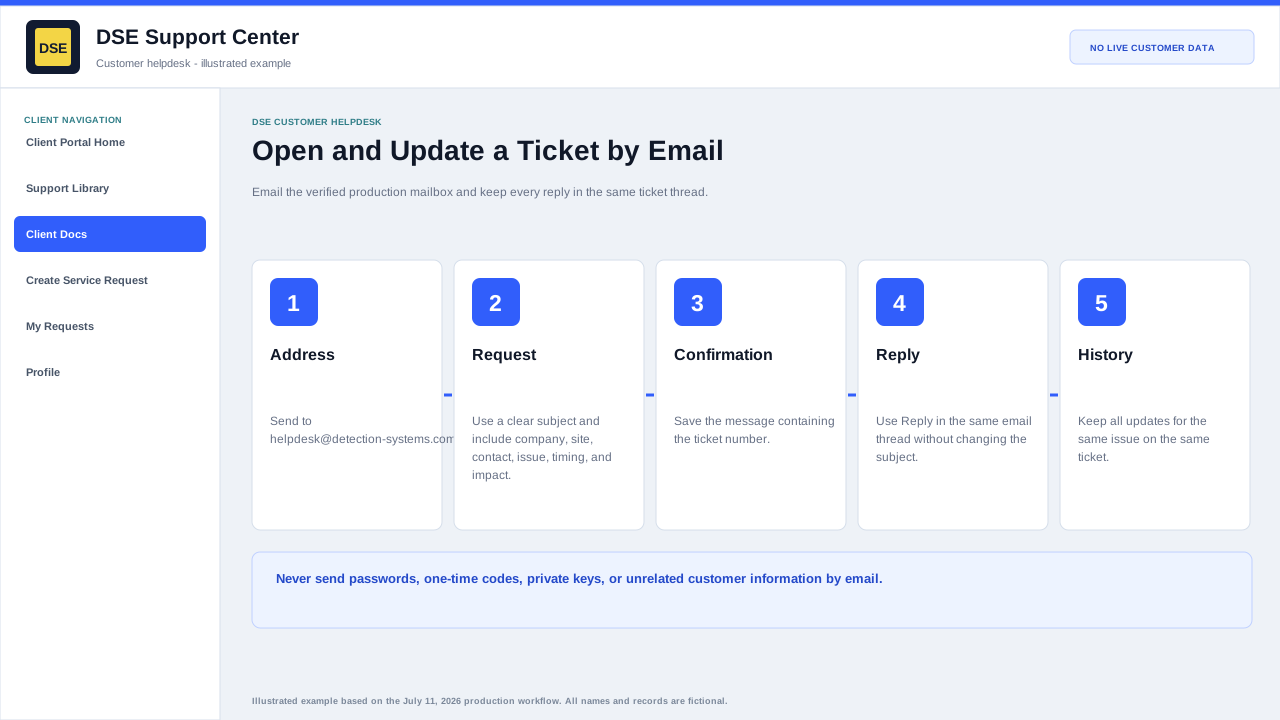
Create one complete email request
- Address the message to helpdesk@detection-systems.com and use a subject that states the affected site or system and symptom.
- Include your name, company, site, callback number, first known time, scope, business impact, and safe troubleshooting already completed.
- Attach only relevant, redacted evidence and remove credentials, financial data, and unrelated people or customers.
- Send once and keep the ticket confirmation. Reply in the same email thread without changing the subject.
- Open a separate ticket only when the new request is unrelated to the original issue.
Send the request
- Address the message to helpdesk@detection-systems.com.
- Use a subject that names the company or site and the affected system or symptom.
- Include your name, company, site, callback number, affected system, start time, scope, and business impact.
- Attach only safe, relevant files and keep each file at or below 15 MB.
- Send from the business address DSE should associate with the requester.
After sending
- Watch for a DSE ticket confirmation and record the ticket number.
- Reply to the confirmation thread for related updates.
- If no confirmation arrives, check spam and quarantine, then check the client portal before resending.
- Use the portal when you need a structured topic, account history, or secure ticket access.
Email limitations
- Email is not an emergency-response channel and delivery is not instantaneous or guaranteed.
- Do not email passwords, private keys, alarm codes, one-time codes, or payment-card data.
- A new subject or removed ticket number can create a separate request.
Important: The older aliases help@dsesecurity.com, helpdesk@dsesecurity.com, and help@detection-systems.com are not listed in the current production helpdesk mailbox configuration and should not be relied on unless DSE confirms an alias separately.
Related resources
Content owner: DSE Service Operations · Production review: July 11, 2026