
Summary: Production ticket records use the statuses Open, Resolved, Closed, Archived, and Deleted. Assignment, queue, notes, and replies provide additional workflow context.
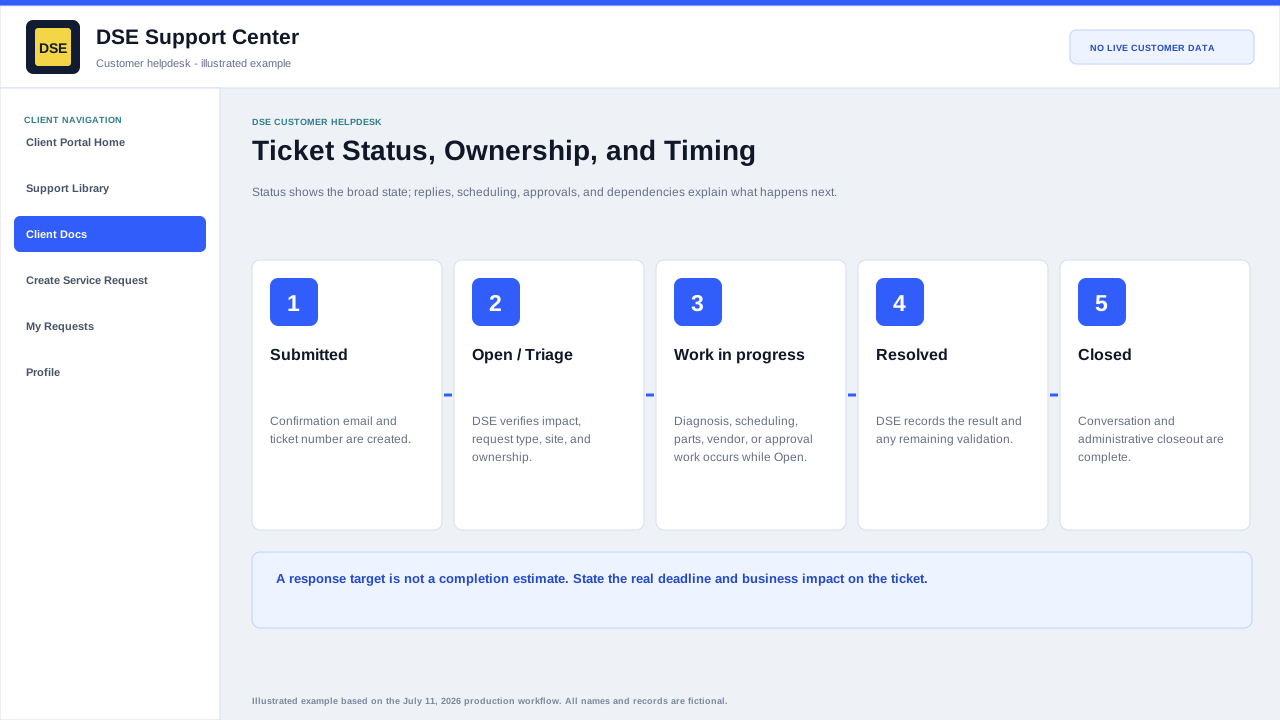
Customer-relevant statuses
| Status | Meaning |
|---|---|
| Open | The request remains active and may be awaiting triage, DSE work, scheduling, a dependency, or customer information. |
| Resolved | DSE has recorded a resolution or completed the requested work, subject to any remaining confirmation or closeout. |
| Closed | The support conversation and operational closeout are complete. |
| Archived or Deleted | Administrative retention states that normally do not represent active customer work. |
Workflow context beyond status
- The assigned staff member or team identifies current ownership.
- Replies explain completed work, questions, scheduling, or the next action.
- An open ticket can legitimately be waiting on a customer, vendor, part, approved window, or related project.
- A resolved or closed ticket remains part of the support history and should not be reused for an unrelated issue.
Response and completion timing
- DSE applies the configured department, schedule, SLA plan, agreement, and business-impact information during triage.
- Response target and completion estimate are different: parts, site access, vendor work, approvals, and scheduling can affect completion.
- Do not rely on a generic article as a contractual service commitment.
- Ask on the ticket when a deadline or service target needs clarification.
Related resources
Content owner: DSE Service Operations · Production review: July 11, 2026