
Summary: Production ticket creation requires a verified client account. Register with an email address you can access, complete email verification, and keep account access private.
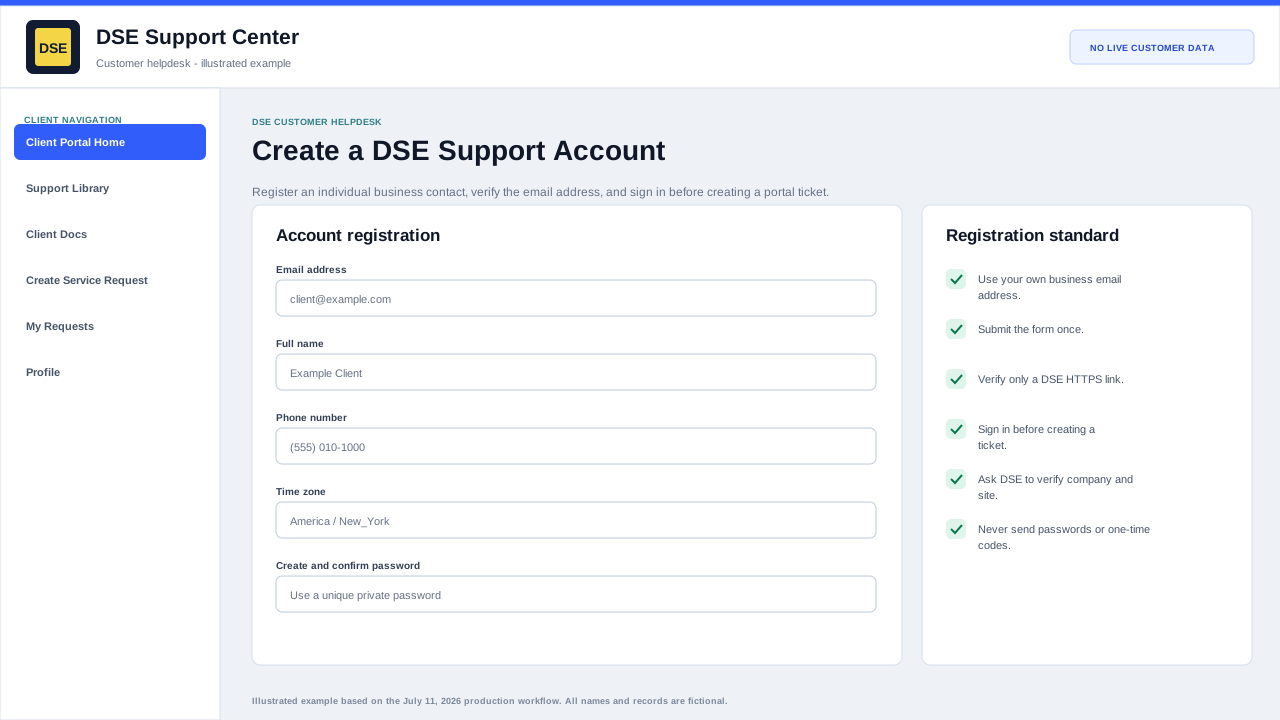
Register and verify the account step by step
- Open https://helpdesk.dsesecurity.com/login.php and select Create an account.
- Enter your own business email address, full name, phone number, and timezone. Do not create a shared account for multiple people.
- Create a unique password and confirm it. DSE will never ask you to place that password in a ticket.
- Select Register once and wait for the confirmation screen. Repeated submissions can create duplicate records or messages.
- Open the verification email only when you requested it and the link points to helpdesk.dsesecurity.com over HTTPS.
- Return to the sign-in page and use the verified email address to access the portal.
Account recovery and company connection
- Use Forgot My Password before creating another account for an email address that may already exist.
- Check spam, quarantine, and email security tools when verification or reset mail does not arrive.
- Ask DSE to connect the contact to the correct parent company and site; do not guess or create a second organization.
- Tell DSE immediately if the account can see an unrelated company, site, contact, or ticket.
Create and verify the account
- Open Create an Account from the client sign-in page.
- Use your business email address and accurate name and contact information.
- Submit the registration form, then open the verification message sent by the Support Center.
- Complete verification before attempting to create a portal ticket.
- If the message does not arrive, check spam and quarantine and confirm the address was typed correctly.
Sign in and recover access
- Use the same email address or username associated with the client account.
- Use Forgot password when the password is unknown; do not create duplicate accounts to work around a sign-in issue.
- Password-reset links are time-sensitive. Request a new reset if an older link has expired.
- After repeated failures, stop retrying and contact DSE so the account can be checked safely.
Account and profile changes
Some identity and contact fields are controlled by DSE and are not customer-editable in the current production configuration. This protects company membership and ticket visibility.
Open a ticket when your name, company, site, email address, or contact relationship needs to change. Include the old and new information and a callback number for verification.
Account security
- Use an individual account; do not share a client login between employees.
- Use a unique password and sign out on shared devices.
- Do not send passwords, one-time codes, alarm codes, or recovery links in a ticket.
- Tell DSE promptly when an employee leaves or should no longer see company tickets.
Related resources
Content owner: DSE Service Operations · Production review: July 11, 2026