
Summary: DSE can organize multi-site customers under a main company with separate site records and contacts. What each client sees depends on verified membership and ticket-sharing rules.
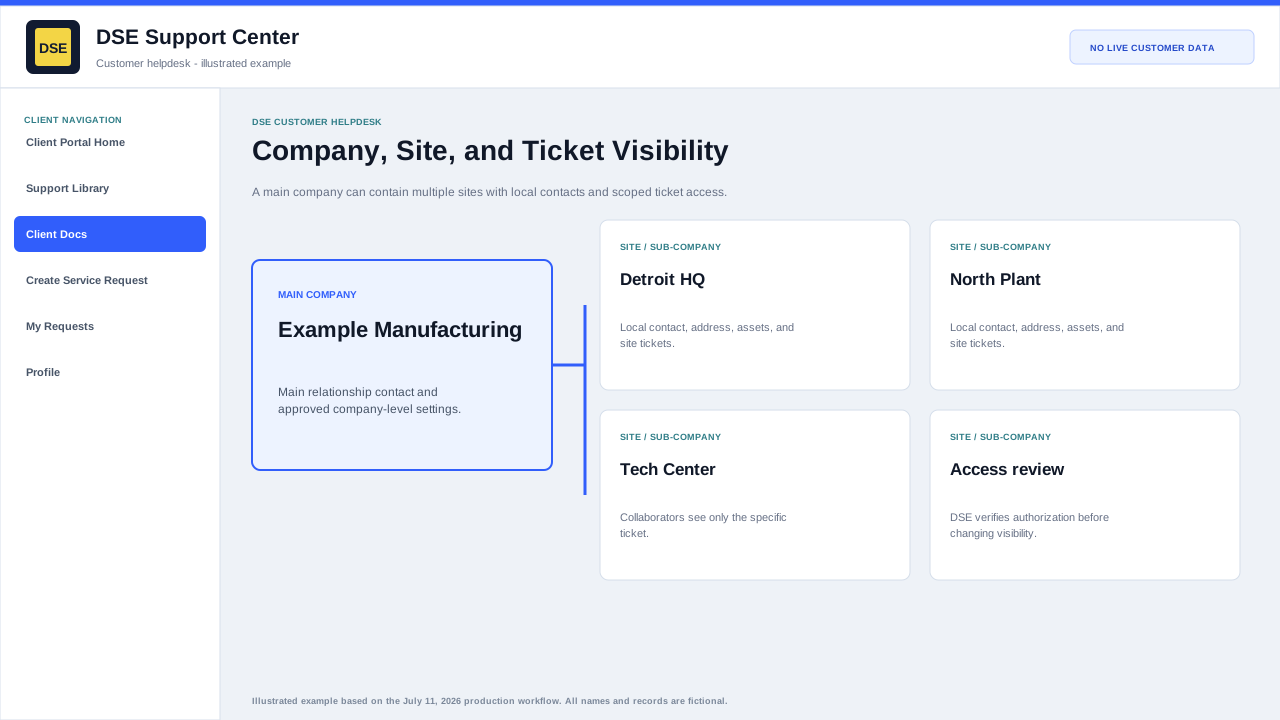
How customer records are organized
- The main company represents the overall customer relationship and can have a main contact.
- Each site or sub-company can keep its own site name, contacts, users, tickets, and operational details.
- A contact should be attached to the company or site where that person actually works or has authority.
- DSE account-management settings do not automatically grant every contact access to every ticket.
Ticket visibility
- The requester can access the ticket created for that contact.
- Authorized collaborators can participate when they are deliberately added.
- Primary-contact or organization ticket sharing depends on the company configuration maintained by DSE.
- Site contacts may see only site-specific work unless broader access has been approved.
Request a correction
- Open a ticket when your company, site, main contact, or access scope is wrong.
- Include your name, business email, company, site, callback number, and the ticket number that should be visible.
- DSE will verify authorization before changing company membership or sharing settings.
Important: Never send another person your password or private ticket access link to work around a visibility issue.
Related resources
Content owner: DSE Service Operations · Production review: July 11, 2026